Tuesday, 22 June 2021

Indie Game Dev: Automation Servers

Modern programming projects -- commercial ones, anyway -- should use build automation (aka CI/CD). Otherwise there is potential for nasty surprises come QA/release time:

  • The person who normally builds a given piece of the final package is away that day and their workstation is locked
  • Licenses for certain tools have to be given to everybody in the company who might need to build some artifact, just to avoid the previous problem
  • Licenses for certain tools have expired, because nobody's run it in a while and you didn't notice the date had passed
  • Which file is the right build? Is it qa-test-build.apk, or release-candidate-June.apk, or 2021-06-20.apk, or one of the myriad copies of each of those in the folder "recent builds", "test builds", "rc builds"? Oh, or did Frank do it this this week?

The right automation software alleviates all those problems and more. It doesn't need a person present in order to complete the correct task, it doesn't forget and it doesn't make mistakes because it's bored or distracted or pressed for time.

If you can only afford one license for a particular build tool, put that license on a single "agent" machine, and everybody can get the finished product from there.

If builds run regularly (you run them regularly, don't you?) then an expired license will make itself known the day it happens, hopefully before the eleventh hour when you're trying to submit a build to the platform.

Build artifacts are organized in a systematic way, so as long as everybody's communicating (Hey Aaron, build #314159 is the release candidate, please test that one), then everybody knows which build is the right build.

Before we get to what I chose, let's talk about how I chose it. I don't have very many deal breakers, other than the ones I've mentioned in the past. Actually, I guess I have two.

First, complicated and/or delicate installation. If the system needs <specific OS version x.y.z.123.b-2>, or <equally specific language runtime>, or has to be installed on a Tuesday evening during a waxing gibbous moon with a chicken in your left hand and a knife in your right, I'm going to pass.

Second, hard to use interface, and especially, hard to find build results/artifacts. If it's hard to set up a job, or hard to find the result of that job and get the build to QA, I may as well build the thing at my desk and email it around to people like an executive would. HARD pass.

Now the must haves. Has to interface with my desired source control systems. Absolutely must understand Subversion and Perforce, and if it doesn't understand Git I probably won't look at it either. "But Ian, I thought you didn't like Git". I don't, but I have friends who provide libraries and some of them keep their source in a Git repo, so I'm better served by a system that understands it.

Has to have a master-worker arrangement. As a mobile guy, I need at least 2 platforms -- OSX for iOS, and Windows or Linux for Android -- just for the application binaries themselves. There might be realtime pvp servers (Linux) or GUI tools (probably Windows) and any number of other things. So I need workers on all of those systems controlled by a master.

Gotta have a web interface. Welcome to the 21st Century.

I've gotten used to being able to "mark a build"; while builds normally get culled after some number of days, or bumped out by the most recent, I should be able to lock one in as a Release Candidate. I should also be able to attach some description to it, so we'll know what that was 2 years from now (rather than just being able to rebuild from a tagged changelist).

I had 3 candiates:

Buildbot - I liked this one because everything is on PyPI so it's pretty much create a virtualenv and pip install to freedom. I had some minor issues at the beginning getting the TLS libraries installed, but I think that's more a function of my inexperience with Python than anything to do with the code.

The master and worker setup are pretty much the same, so once your master is running, you can then install workers wherever you like and point them at the master. It is nearly as easy to do as it is for me to say.

Since it's all Python, I have to assume any place you have a Python install you can have a Buildbot worker. And since it's all self-contained, you can run it manually from your home directory if that's the cut of your jib.

GoCD - a little more professional looking, a little more complicated and a little more fiddly. You can install it via your operating system's package manager, if such a thing exists. Windows has an installer .exe, it's all good.

It's Java, which is mildly upsetting to me, but the installers come with the correct version of it, so I can overlook that just so long as I don't have to upgrade it myself.

My winner was Jenkins, and I'm not gonna lie, it was mostly because I have experience with it. Buildbot seems cool, and if you have to teach yourself one of these systems, it looks like the simplest, i.e. the shortest path. GoCD seems a lot more feature-rich, though the UI seems a little less intuitive, and I find myself having to drill down through the various parts of a job in order to get to the artifacts.

Jenkins is also Java-based, but once again the installation is easy and low-maintenance. I was able to apt install the entire system, including Java, and it wasn't some weird alternate, it was the stock Java that comes with Ubuntu. Sorted.

I've been using Jenkins at work full time for maybe 3 years, and it's pretty hard to find fault with it. It does all the things I've mentioned and a lot more. The UI is pretty good: if you have a bazillion jobs on a single master, and you weren't aware of folders you caveman, you can set up views to organize it all nicely, and that's what we do at work. Some of our leads have created pretty elaborate "landing pages".

Equally as important is that it's very easy to point QA to a specific view if they're testing for you that week. I go as far as Slacking them links to an install page that our build script creates, which is crazy handy. Then they can navigate to said page on their device and click the install link and start breaking my build (and my heart 💔).

I haven't created any of the more complicated job types yet, but I've seen them in action, so I'll be learning how to set them up once the applicable use cases present themselves.

Thursday, 17 June 2021

Indie Game Dev: Languages

I wanted to talk about CI/CD systems next, but I'm still evaluating candidates. Maybe next week.

I haven't left very much to the imagination when it comes to me and languages: I've already stated that I'm using Android, and that I view Java as a necessary evil to that end. I like C and Lua. I have plenty to say about plenty of languages -- I've learned somewhere between 30 and 40 of them, depending on what counts (XML? HTML?) and whether variants count (QBasic, Commodore Basic, Visual Basic).

Rather than bore you further with the odyssey of my language scholarship, I'll talk about the few I will be using in this project.

Java

I dislike Java, which sounds a little rich coming from a mobile guy, and believe me, I ain't ever happy about having to use it. That said, most of the Android stuff works with old JDKs (5+ years), and all the tools know how to acquire their own dependencies. So I do the initial JDK install, work through the PTSD, and put it out of my mind.

Don't misunderstand: I don't mind Java as a language, I mind it as an ecosystem. It was created on SPARC workstations running SunOS in the mid 90's, and it behaves as though that's still the only place it runs.

You need something in the ballpark of 10 or 11 environment variables before the compiler will look at your code. One of those is CLASSPATH, and woe be to you if all your Jar files aren't somewhere in there. Seriously, in 25+ years, nobody could update that compiler code to accept some sort of per-project configuration? Everything's defined at the OS level?

So if you're in the middle of a Java project and you buy a new workstation, you spend a few minutes installing Visual Studio, and then the rest of the day preparing your Java environment.

Speaking of defining things at the OS level, why does the compiler care where my files are? If I create a package called org.thenibble.dante and there's a class in it called Worker, then it has to exist in ./org/thenibble/dante/Worker.java. What kind of Elizabethan control-freak bullshit is that?

Python

I have some recent experience with Python, and I'm mostly ok with it, provided we're talking about Python 3. It's been more than a decade, migrate already. I like that Python's ubiquitous, and there's libraries for everything. There's lots of documentation and examples around, and Stack Overflow fills any gaps.

There's a bunch of reasonably good, relatively lightweight REST frameworks, and most of them will work with whatever web server you choose. I'm used to Apache + Flask, but my backend guys at work prefer NginX + flup.

I don't like Python's scoping rules. I don't like that people feel compelled to use classes for everything when it's rarely necessary (though it's hard to tell with the scoping rules). I really don't like the import system, it feels like it's trying to accommodate every guess that every novice programmer ever made, and it's anticipating a few others.

I mean, whitespace?

It's too heavy and slow. Like, unwieldy if you're really churning through a lot of data, which maybe you sometimes do with a game backend. I get that it's scripting and that it's "batteries included", and I'm sure all the correct tradeoffs were made, but sometimes it's just, too, slow.

Lua

I like Lua. It's small and quirky and Really Fast. Don't take my word for it, go hunt down some benchmarks. That's mostly what I like about it, I'm as easy to please as I am to annoy.

There's lots of things to dislike if you want to call me out. It's niche, there isn't a large community or body of libraries. Outside of the obvious things like networking and database and JSON parsing, there's a good chance you'll have to bolt on that third party library yourself.

But that's easy to do because embedding is one of the things it was created for. It's very easy to call Lua functions from C and C functions from Lua. So bolting on that third party library, while a pain in the ass, isn't going to require a systems programmer. (Not gonna lie, having one is better)

Another thing people love to hate: 1-based arrays. Fair enough, it's a bit weird. That said, aren't arrays just for stuffing things into and then pulling out sequentially? Who gives a shit about their offset? If you want to store things and retrieve them from a known location, use tables with string keys. They're still faster than anything outside of C, and the 80's are over, we can spare the cycles.

I wish more people would move to Lua 5.3, it's just better. The previous versions encouraged the use of globals for library tables, and it's just not The Right Thing. I haven't looked into 5.4 yet, maybe it's better still.

C++

I don't much like C++. Sorry, but I don't. We're still writing templates as header-only code because we're still pretending that it's forward-compatible with C, so compilers can't do generics in a sane way. We use the pre-processor instead, like animals, even though the loosest compiler can't compile C code without alterations, because it doesn't allow a boatload of things that C does.

char *ptr = malloc(8);  // 100% legit C, but C++ requires a cast

On top of all that, template syntax looks like line noise; it is truly, spectacularly awful. So you'd better get it right the first time because there's no debugging that shit six months down the road.

Many people are still writing header-only classes for non-template code because evidently we're also still pretending that we can out-optimize compilers by inlining everything. This causes a downward spiral of dependencies, and if I touch any of those headers I have to rebuild my entire codebase because everything includes everything else, and we may as well not have linkers any more. I don't know why, but this is a thing peculiar to C++ people.

I hate that there's no compatibility between C++ compilers. You can't really distribute a pure C++ library, because everybody has their own name-mangling scheme (this might not be true, but it feels true) and their own ideas about linkage and ABI. If you want C++ inside a library, you wrap it in a C interface and you hide the filthy internals from the world.

Finally, any language that plans major changes every three years by decree seems like more work than it's worth. Spending years learning the syntax and nuances of a moving target is for people younger than me. As I mentioned, I already know 30+ languages, I'm just kinda over it.

C

I like C for the same reason I like Lua. It's small and quirky and fast. It took me very little time to learn the entire syntax, and anything I need to do that the base language doesn't supply is in a library somewhere. If it isn't, I don't want it, and I really mean that.

I like that C compilers are actually portable. If I write C code using GCC as my reference compiler, it will build just fine with Visual Studio or Clang, or any other weird compiler you want to dig up. I can also compile these things into a library, shared or static, and I know exactly what the linkage rules are and so will the system that I use that library with five or ten years from now.

What I use in practice is generally a mix of C and C++. I don't mind classes, though I rarely need polymorphism. C's biggest downfall day-to-day is string handling, and there's lots of support in C++, so if I have to do it, I have help.

Those languages really tied the room together

So how is the project using these languages?

  • Java for system services, because Android, but only where I have to
  • C/C++ via the NDK
  • Lua for as much as I can get away with
  • Possibly some Python for the backend, I haven't explored all my options with this
Lua is definitely not as fast as C, so once all the logic is in place, I profile any slow parts and convert them to C. This is kind of my normal workflow; it's my slightly-more-modern analog of profiling C code and writing the crucial loops in assembler.

Tuesday, 15 June 2021

Indie Game Dev: Source control

This probably should have come before Platforms, but I always knew it was going to be an Android game. Source control is usually the first thing I think about, because regardless of anything else you might do, you need to store files somewhere.

If you want to create all your design documents and spreadsheets with cloud tools, I get that. They're generally easy to use, and easy to collaborate with. But if any of those things produce artifacts that go into the build, you need to export them and check em into source control, because that online tool might change or go away.

I need my source control to handle large binary files in a sane way, because who knows what kind of bloated garbage those things are going to generate? While we're on the subject, artists also produce a lot of large binary files, and they too, have to go somewhere.

Everything is distributed/remote these days, so your source control system either needs to be fully network aware, or at least have a feature set that works well over a network. Don't forget, large binary files.

Automated tools will need to check things out, so there needs to be a CLI. Normies -- designers, artists, producers -- need to use it, so there needs to be GUI too, and it should be simple to use.

You need branches, and you probably need to be able to cherry pick changes from those branches from time to time. Maybe you can get away without it, but you'll be a lot less productive, I've seen the before and after.

You need logging and history. When your product actually ships, you'll be fixing bugs and it's easier if you can go through a file's history to see when that bug crept in.

Event hooks are nice. If your system can reject a submission based on a schema or other kind of validation, a lot of errors never make it through the door. You can have notifications, or do backups or any number of interesting things if you know when a specific file changes.

Enough about feature sets. It's decision tree time. What don't I like?

Discontinued/obscure: RCS, CVS, TFS. I especially don't like CVS or anything of that vintage, because it has to contact the server for everything, even just to do a diff. It's inefficient and frustrating, and nobody with any sense is still using any of these things.

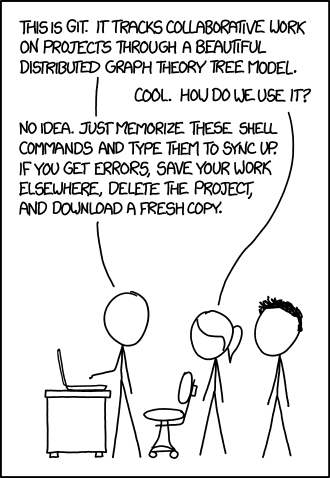
Horror of horrors, I don't much like Git, either. The workflow is needlessly complicated, and it uses terms similar to other source control systems, but for different concepts. Sit down in the back, better people than you have tried to talk me into it.


Source control systems that I do like are Subversion and Perforce. Subversion is extremely easy to teach to non-technical folk, and while Perforce is definitely not as easy, its power makes the slightly steeper learning curve worth the investment.

I use Perforce at the office, and it ticks all my boxes. I'm choosing it over Subversion because:

  • It's change-centric instead of file-centric
  • Cherry picking individual changelists is easy
  • Shelving changes is easy
  • The GUI, while occasionally... imperfect, has things like revision graphs and "time-lapse view" and I've forgotten what life was like without them.
One thing that irritates me and always will is there seems to be no way to undo changes to a file and keep it checked out. You have to revert the entire file, which removes it from your changelist, and then you have to add it back. If you know of a quick way to do this, please let me know.

It's free to use for up to 5 users, but obtaining the P4V client requires that you hand your email address over to Perforce. Their sales emails are easily ignored.

So there you are. It's Perforce for me.